Your Cart
×


Save: 49৳
Brand: TP-Link
2,200৳
2,249৳
Ex Tax:2,200৳
Brand: TP-Link
3,450৳
Ex Tax:3,450৳
Brand: TP-Link
3,100৳
Ex Tax:3,100৳
Brand: TP-Link
3,350৳
Ex Tax:3,350৳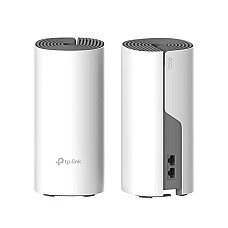
Brand: TP-Link
6,550৳
Ex Tax:6,550৳
Save: 200৳
Brand: TP-Link
4,500৳
4,700৳
Ex Tax:4,500৳
Brand: TP-Link
11,390৳
Ex Tax:11,390৳
Save: 99৳
Brand: TP-Link
2,450৳
2,549৳
Ex Tax:2,450৳
Save: 250৳
Brand: TP-Link
3,200৳
3,450৳
Ex Tax:3,200৳
Brand: TP-Link
5,900৳
Ex Tax:5,900৳
Save: 671৳
Brand: TP-Link
7,849৳
8,520৳
Ex Tax:7,849৳
Save: 270৳
Brand: TP-Link
3,200৳
3,470৳
Ex Tax:3,200৳
Save: 605৳
Brand: TP-Link
4,385৳
4,990৳
Ex Tax:4,385৳Showing 1 to 13 of 13 (1 Pages)
TP-Link AC1200 Wi-Fi Routers in Bangladesh: What to Buy and Why
A TP-Link AC1200 router is a dual-band Wi-Fi 5 device that pairs a 5 GHz band (up to 867 Mbps) with a 2.4 GHz band (up to 300 Mbps). For most Dhaka flats, small offices and shops it is the practical middle ground between a basic single-band router and a costlier Wi-Fi 6 setup.
Computer Village has been serving Bangladesh's tech buyers for more than 25 years from BCS Computer City, Agargaon, and the router counter sees the same questions every week. Will one router cover a duplex? Why is my fibre plan faster than my LAN cable? Is mesh worth it? This page answers those questions first, then shows you how the AC1200 range fits each situation. Today's rate for any model is on its product page, or you can ask the router desk on WhatsApp.
AC1200 Wifi Router at a Glance
| Feature | What it means for you |
|---|---|
| Wi-Fi standard | Wi-Fi 5 (802.11ac on 5 GHz, 802.11n on 2.4 GHz). Phones, laptops, smart TVs and consoles from the last several years connect without trouble. |
| Dual band | 5 GHz is faster and less crowded but loses range through walls. 2.4 GHz reaches further and suits older gadgets, smart plugs and CCTV. |
| "1200" label | It is the two bands added together (867 + 300, rounded). No single device gets 1200 Mbps. A phone on 5 GHz sits well below that ceiling. |
| Typical coverage | Roughly 1,200 to 2,000 sq ft in open space, depending on the model. Concrete walls and floors shrink this noticeably. |
| Best suited to | Homes, small offices and shops with a handful to a few dozen everyday devices. |
Which TP-Link AC1200 Fits Your Space?
Match the model to your situation instead of the headline number. These are the buyer scenarios we see most often.
Two or three rooms, a typical broadband plan
The Archer C54 is usually enough. It has four fixed antennas and is rated for roughly 1,200 to 1,500 sq ft of open space, and it comes with a one-year warranty. One thing to know before you buy: its LAN and WAN ports run at 10/100 Mbps, so a wired connection tops out near 100 Mbps. That is fine for a flat that mostly runs on Wi-Fi.
Fibre plans, wired PCs, NAS boxes or a smart TV on cable
Choose a gigabit model. The Archer C6 has one gigabit WAN port and four gigabit LAN ports, supports MU-MIMO, and offers separate guest networks on both bands. The Archer C64 and Archer A6 V3 follow the same MU-MIMO and gigabit approach, and the A6 V3 is also sold as a mesh-ready router. If your ISP plan is faster than 100 Mbps and you plug devices in with cable, this is where the extra spend pays off.
Duplex, multi-floor home or long layouts
A single router rarely covers concrete floors well, and mesh fixes that. The TP-Link Deco M4 and Deco E4 whole-home systems come as 1-pack, 2-pack and 3-pack sets. A 2-pack suits most duplexes, and a 3-pack suits larger or stretched-out homes. Nodes sit in different rooms and share one Wi-Fi name, so phones hand over as you walk around.
Small office, clinic or shop with many phones
MU-MIMO helps when many devices are active at once. It lets the router serve several devices in parallel instead of one after another. If rooms already have Ethernet in the wall, the TP-Link EAP235-Wall Omada access point is a wall-plate unit that blends into the room. It is an AC1200 MU-MIMO gigabit model built for offices, clinics and hospitality use.
A backup line for load-shedding days or a site without broadband
The Archer MR400 takes a 4G LTE SIM. It is a dual-band AC1200 router that can act as a fallback internet source. You need a data SIM, and real speeds depend on the mobile network at your location.
Compare the AC1200 Range Side by Side
| Model | Best for | Standout trait | Wired speed |
|---|---|---|---|
| Archer C54 | Small flats, light use | Four fixed antennas, 1-year warranty | 10/100 Mbps ports |
| Archer C6 | Fibre users, wired devices | MU-MIMO, dual guest networks | Gigabit ports |
| Archer C64 | Busy homes, wired PCs | MU-MIMO, gigabit | Gigabit ports |
| Archer A6 V3 | Gigabit users who may add mesh later | MU-MIMO, mesh-ready | Gigabit ports |
| Deco M4 / Deco E4 | Duplex and whole-home coverage | 1, 2 and 3-pack mesh sets | See product page |
| Archer MR400 | Backup or no-broadband sites | 4G LTE SIM slot | See product page |
| EAP235-Wall | Offices, clinics, hotels | Wall-plate Omada access point | Gigabit port |
AC1200 vs Wi-Fi 6: Do You Need to Upgrade?
Stay with AC1200 if your devices are mostly phones and laptops and your plan is a typical home package. Move to a Wi-Fi 6 (AX) router when you have many always-connected devices, Wi-Fi 6 laptops and phones, or a high-speed fibre plan you want to use over the air. Wi-Fi 6 routers are listed in the TP-Link router range at Computer Village if you decide to step up. Wi-Fi 6 phones still connect to an AC1200 router. They just run at Wi-Fi 5 speeds.
How to Set Up a TP-Link AC1200 Router
- Plug the ISP's Ethernet cable (or the ONU/fibre converter's LAN cable) into the router's WAN port.
- Power the router on and connect your phone or laptop to its default Wi-Fi, or use a LAN cable.
- Open a browser and go to tplinkwifi.net or 192.168.0.1.
- Choose your connection type (Dynamic IP or PPPoE, depending on your ISP) and enter the details your ISP gave you.
- Set a new Wi-Fi name and a strong password, then place the router high and central in the home, away from the floor and TV cabinet.
Placement matters as much as the model. A router in a corner behind a TV loses a large share of its range. Moving it to a central, raised spot often fixes "dead room" complaints without any new purchase.
Compatibility, Security and Everyday Use
AC1200 routers work with Windows, macOS, Android and iOS devices, plus consoles, smart TVs and CCTV or IoT gadgets on the 2.4 GHz band. Security options include WPA and WPA2 encryption, and models such as the Archer C6 add guest networks on both bands so visitors never touch your main network. Management is through the router's web interface, and many Archer models also work with the TP-Link Tether app, so check the product page for your model. Change the default admin password and keep the router's firmware updated.
Common Mistakes When Buying an AC1200 Router
- Buying on the "1200" number alone. Port speed, antennas and MU-MIMO often matter more.
- Ignoring 10/100 ports on a fibre plan. The Wi-Fi may be fast while the cable is capped at 100 Mbps.
- Expecting one router to cover a multi-floor concrete home. Mesh exists for that reason.
- Skipping the warranty check. Confirm the warranty period on the product page before ordering.
Why Buy Your TP-Link AC1200 from Computer Village
- Established local specialist: serving customers for 25+ years from BCS Computer City, Agargaon, with BCS and e-CAB membership and a registered trade license.
- Warranty-backed products: warranty details appear on each product page, and our repair and service desk handles after-sales support.
- Transparent pricing: each product page shows the live cash price and the payment options. Where a tile asks you to call, the router desk gives you the current rate, because networking prices follow the market.
- Flexible payment: Visa and Mastercard, mobile banking, internet banking, EMI and cash.
- Order online or visit: BCS Computer City (IDB Bhaban), Shop 226, 2nd Floor, Agargaon, Dhaka-1207. Hotline 09613605905 (10 AM to 8 PM). Router and networking WhatsApp: 01713240741.
Related Networking Picks at Computer Village
Start with the in-stock models most buyers choose, then round out your network:
- TP-Link Archer C54 AC1200 dual band Wi-Fi router for small flats and light everyday use
- TP-Link Archer C6 AC1200 MU-MIMO gigabit router for fibre plans and wired devices
Explore the wider range:
- Wi-Fi routers in Bangladesh
- TP-Link router price in BD
- TP-Link Wi-Fi range extender
- TP-Link wireless access point
- TP-Link network switch
- TP-Link LAN card
TP-Link AC1200 FAQ
What is the TP-Link AC1200 price in BD?
The price depends on the model: a compact Archer C54 sits at the entry end, gigabit Archer models cost more, and mesh sets and access points cost more again. Each product page shows the live cash price, and the router desk on 09613605905 or WhatsApp 01713240741 can confirm today's rate.
What does AC1200 mean on a router?
AC1200 is a speed class for dual-band Wi-Fi 5 routers. It adds the maximum 5 GHz speed (867 Mbps) and the maximum 2.4 GHz speed (300 Mbps), then rounds up. No single device receives the full 1200 Mbps.
Which TP-Link AC1200 router is best for home use?
For a small flat on Wi-Fi, the Archer C54 is enough. For a fibre plan or wired devices, choose a gigabit model such as the Archer C6, C64 or A6 V3. For a duplex or multi-floor home, choose a Deco mesh set.
What is the difference between the Archer C54 and the Archer C6?
The C54 has 10/100 Mbps ports, which cap wired speed near 100 Mbps. The C6 has gigabit ports, MU-MIMO and guest networks on both bands, so it suits faster broadband and more connected devices.
Is AC1200 enough for fibre broadband in Bangladesh?
For Wi-Fi use on typical home plans, yes. If you also connect PCs or a NAS by cable on a plan faster than 100 Mbps, pick a gigabit AC1200 model, because 10/100 ports will limit the wired connection.
Should I buy AC1200 or a Wi-Fi 6 router?
AC1200 is enough for everyday phones and laptops on standard home plans. Choose Wi-Fi 6 if you have many connected devices, Wi-Fi 6 hardware, or a high-speed plan you want to use over the air.
Can I use a TP-Link AC1200 router with my ISP or ONU?
Yes. Connect the ISP's Ethernet cable, or the ONU's LAN cable, to the router's WAN port, then choose Dynamic IP or PPPoE as your ISP specifies during setup.
Do TP-Link AC1200 routers come with a warranty at Computer Village?
Warranty details are listed on each product page. The Archer C54 and Archer C6 pages show a one-year manufacturer warranty, and our service desk supports after-sales needs.
Where can I buy a TP-Link AC1200 router in Dhaka?
You can order online or visit Computer Village at BCS Computer City (IDB Bhaban), Shop 226, 2nd Floor, Agargaon, Dhaka-1207. Call 09613605905 between 10 AM and 8 PM.