Your Cart
×




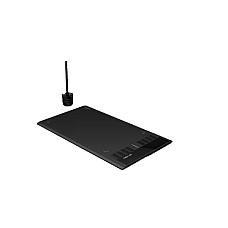


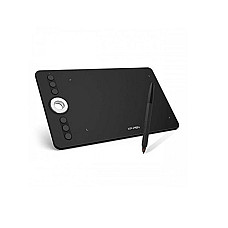


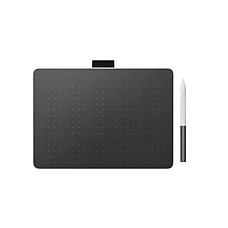
Key Features of the Best Graphics Tablet
When choosing the best graphics tablet, it’s important to consider the key features that will enhance your digital art experience. Here are some essential features to look for:
- Pressure SensitivityA high level of pressure sensitivity allows for more precise and natural strokes, giving you the ability to vary line thickness and opacity depending on how hard you press the stylus.
- Stylus Pen QualityA comfortable, ergonomic stylus with accurate tip recognition and a high level of pressure sensitivity is essential for a natural drawing experience. Look for pens with customizable buttons for shortcuts.
- ResolutionA higher resolution (measured in LPI or lines per inch) provides more detail and precision in your drawings, ensuring your lines and strokes are smooth and sharp.
- Active Area SizeThe active area is the space where you can draw on the tablet. Larger active areas provide more room for detailed work, while smaller ones are more portable.
- Screen Size & DisplaySome graphics tablets come with built-in displays, offering a more intuitive drawing experience by allowing you to draw directly on the screen. A higher screen resolution and color accuracy are important for professional work.
- Tilt FunctionalityTablets with tilt recognition allow the stylus to detect the angle at which it is held, providing a more natural drawing motion, similar to using a traditional pen or brush.
- Customization OptionsMany top graphics tablets allow you to customize shortcut buttons and touch gestures, speeding up your workflow and enhancing productivity.
- CompatibilityEnsure the tablet is compatible with the software you plan to use, such as Adobe Photoshop, Illustrator, or other design applications, as well as your operating system (Windows or macOS).
- Build Quality & DurabilityA sturdy and well-built tablet is crucial for long-term use, especially for heavy users who work on extensive projects.
With these features in mind, you can find the perfect graphics tablet that meets your artistic needs, whether you're a beginner or a seasoned professional.
Buying Guideline for an Original Graphics Tablet
Investing in an original graphics tablet is essential for artists, designers, and photographers looking to elevate their digital creations. With so many options available, it’s important to focus on key features that ensure you get the best performance, quality, and longevity from your tablet. An authentic graphics tablet guarantees superior build quality, precision, and compatibility with industry-standard software, which are crucial for achieving professional-level results. When choosing a tablet, consider factors such as pressure sensitivity, active area size, stylus quality, and compatibility with your existing tools and software. A genuine product also comes with warranties and customer support, offering peace of mind for any issues that may arise. This buying guideline will help you navigate the various choices and find a graphics tablet that meets your artistic needs, ensuring you invest in a tool that enhances your creative process. Here’s a helpful buying guideline to make an informed decision:
- Brand ReputationAlways buy from well-known, trusted brands like Huion, Wacom, and XP-Pen. These brands provide high-quality, authentic products that are backed by warranties and customer support.
- Check for AuthenticityTo ensure the tablet is original, buy from authorized retailers or reputable e-commerce stores like Computer Village. Always verify the product’s serial number and check for genuine packaging and manuals.
- Pressure SensitivityLook for a tablet with a high level of pressure sensitivity (at least 2048 levels). This feature allows you to create more detailed, dynamic, and natural lines based on how hard you press the stylus.
- Size of the Active AreaChoose a tablet with an active area that fits your work style. A larger active area offers more space for drawing, but a smaller tablet can be more portable. Select one based on whether you need portability or a spacious surface for detailed work.
- Stylus QualityThe stylus pen should feel comfortable and natural in your hand. Look for pens that are lightweight, with customizable buttons for efficiency, and come with additional nibs for longevity.
- Resolution and AccuracyA higher resolution (LPI) ensures your tablet captures more detail in your artwork. For professional-level design and illustration, choose a tablet with higher resolution and accurate tracking.
- Display (Optional)Tablets with built-in displays, like the Huion Kamvas series, provide a more intuitive drawing experience, as you can draw directly on the screen. However, these models tend to be pricier than traditional drawing tablets.
- CompatibilityEnsure the graphics tablet is compatible with the software you plan to use (Adobe Photoshop, Illustrator, etc.) and that it supports your operating system (Windows or macOS).
- Warranty and SupportAlways purchase from authorized dealers that offer warranties and customer support. In case of any issues, you’ll be able to rely on professional assistance.
- PriceWhile it’s tempting to buy a cheaper tablet, investing in a high-quality original graphics tablet is essential for long-term use and satisfaction. Look for a tablet within your budget that offers great features and durability.
By choosing a high-quality graphics tablet, you’ll experience a noticeable difference in your artwork’s accuracy, efficiency, and overall quality, making it a valuable tool for any digital artist or designer.
Buy Now the Latest Graphics Tablet from Computer Village
As you're Looking for the latest graphics tablet at the best price in Bangladesh, Computer Village offers you a wide range of high-quality graphics tablets from top brands like Huion, Wacom, and XP-Pen to meet the needs of artists, designers, and professionals. Whether you're a beginner or an expert, we have the perfect tablet for you, featuring high-pressure sensitivity, advanced stylus control, and seamless compatibility with popular design software.
Shop now from Computer Village and get the best deals on authentic graphics tablets with a warranty, fast delivery, and excellent customer support. Upgrade your creative experience today!
Frequently Asked Questions (FAQ)
1. Which graphics tablet is best for beginners?
For beginners, models like Huion 420 or Wacom One are great choices due to their affordability and ease of use.
2. Do graphics tablets need a computer to work?
Most traditional graphics tablets require a computer, but standalone tablets with built-in screens, like Huion Kamvas, work independently.
3. Can I use a graphics tablet for online classes and note-taking?
Yes, graphics tablets are perfect for online learning, digital note-taking, and sketching on apps like Microsoft OneNote and Zoom Whiteboard.
4. Are graphics tablets compatible with Mac and Windows?
Yes, most graphics tablets support both Windows and macOS. Always check compatibility before purchasing.
5. Where can I buy an original graphics tablet in Bangladesh?
You can buy 100% authentic graphics tablets from Computer Village with a warranty and best pricing.