Your Cart
×


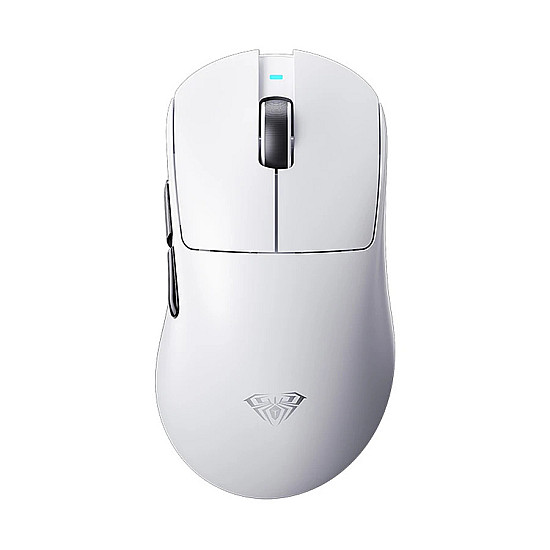
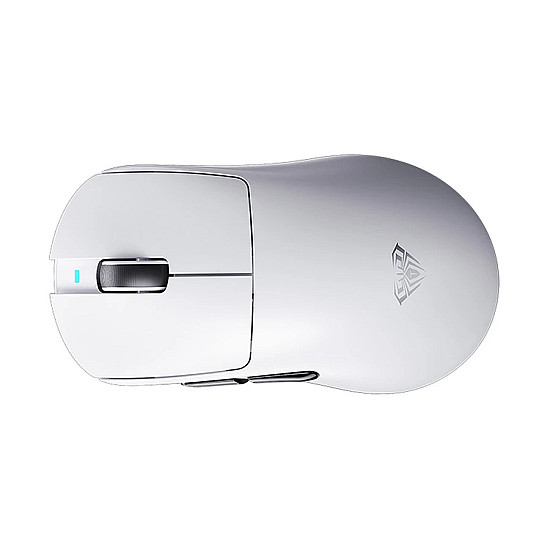
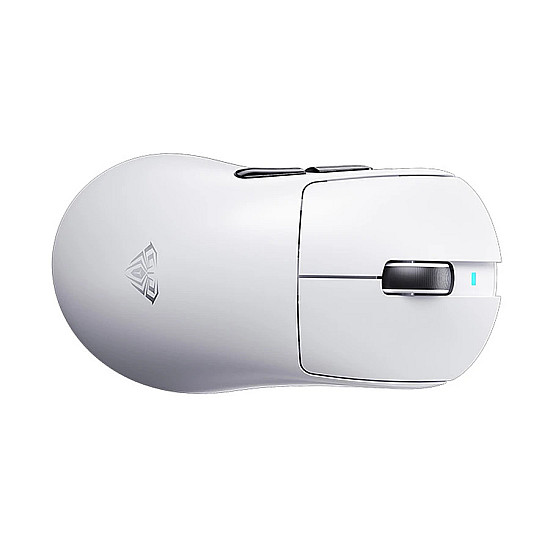
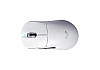
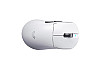
AULA SC900 Multi Mode White Gaming Mouse
Key Features
- Type : Gaming Mouse
- Connection Type : Both
- Interface : Bluetooth, USB & USB Dongle
- Style & Size : Ergonomic
- Lighting : No
- Click Sound : Yes
- Color : White
Price Change Declaimer
Payment Options
Product Image Declaimer
Product Information Declaimer
| Main Features | |
| Series | Gaming |
| Type | Gaming Mouse |
| Style & Size | Ergonomic |
| Connection Type | Both |
| Max DPI | 30000 DPI |
| Lighting | No |
| Interface | Bluetooth, USB & USB Dongle |
| 2X Click | No |
| Click Sound | Yes |
| Modes | Multi |
| Physical Specification | |
| Color | White |
| Warranty | |
| Manufacturing Warranty | 1 year |
Description
Aula SC900 Gaming Mouse
The Aula SC900 Gaming Mouse is designed for gamers who demand precision and performance. With a maximum DPI of 30,000, this mouse ensures that every movement is captured with incredible accuracy, allowing for swift and responsive gameplay. The ergonomic design of the SC900 provides comfort during long gaming sessions, reducing fatigue and enhancing your overall gaming experience. Whether you're playing fast-paced shooters or strategy games, the Aula SC900 adapts to your needs with its multi-mode functionality, giving you the flexibility to switch between different settings with ease.
Equipped with both Bluetooth and USB connectivity options, the SC900 offers versatility in how you connect to your devices. This means you can use it wirelessly up to a range of 10 meters or connect it directly via USB for a more stable connection. The mouse also features a click sound, providing auditory feedback that many gamers appreciate, making it easier to know when a command has been executed. With a sleek white finish, the Aula SC900 not only performs well but also looks great on any gaming setup.
Features of Aula SC900 Gaming Mouse
- Maximum DPI: 30,000 DPI - This high sensitivity allows for pixel-perfect accuracy, essential for competitive gaming where every millisecond counts.
- Ergonomic Design: The shape of the SC900 is crafted to fit comfortably in your hand, reducing strain during extended use and improving your overall gaming performance.
- Multi-Mode Functionality: Switch between different modes seamlessly, allowing you to customize your experience based on the game you are playing.
- Wireless and Wired Connectivity: Enjoy the freedom of wireless gaming with Bluetooth or connect via USB for a reliable wired experience, catering to all preferences.
- 10 Meter Working Range: Move freely without being tethered to your device, providing flexibility in your gaming environment.
- Click Sound Feedback: The audible click sound helps confirm actions, enhancing your gaming experience and ensuring you never miss a command.
- 1 Year Warranty: Purchase with confidence knowing that your investment is protected for a full year against defects and issues.
- Stylish White Color: The modern design and color make it a stylish addition to any gaming setup, appealing to gamers who value aesthetics.
Why Gamers Should Choose This Aula SC900 Gaming Mouse
If you are a serious gamer, the Aula SC900 Gaming Mouse is an investment in your performance. Unlike cheaper alternatives, which may lack the precision and comfort needed for long gaming sessions, the SC900 is engineered to enhance your gameplay. Its high DPI settings and ergonomic design ensure that you can react quickly and comfortably, giving you an edge over your competition.
Older models may not offer the same level of connectivity options or sensitivity, which can hinder your gaming experience. The Aula SC900 provides both Bluetooth and USB connections, making it versatile for any setup. This means you can enjoy a seamless gaming experience without the hassle of wires or connectivity issues, making it a superior choice for gamers who demand the best.
Frequently Asked Questions (FAQs)
What is the warranty period for the Aula SC900 Gaming Mouse?
The Aula SC900 Gaming Mouse comes with a 1-year warranty against defects.
Is the Aula SC900 compatible with all gaming systems?
Yes, the Aula SC900 is compatible with various gaming systems via Bluetooth and USB connections.
How do I maintain the Aula SC900 Gaming Mouse?
To maintain the Aula SC900, regularly clean the surface and ensure the sensor is free from dust for optimal performance.
What is the price of the Aula SC900 Gaming Mouse?
The price of the Aula SC900 Gaming Mouse is not specified; please check with your retailer for current pricing.
Related Products
2,050৳ 2,200৳
Ex Tax:2,050৳
1,150৳
Ex Tax:1,150৳
1,550৳
Ex Tax:1,550৳
Recently Viewed
Same Brand Product
You May also Like
4,800৳
Ex Tax:4,800৳
Tags: